
AI coding assistant.
Inside your editor.
Bring the power of Router402 directly into VS Code. Chat with AI, generate code, get reviews — all powered by crypto micropayments with zero subscriptions.
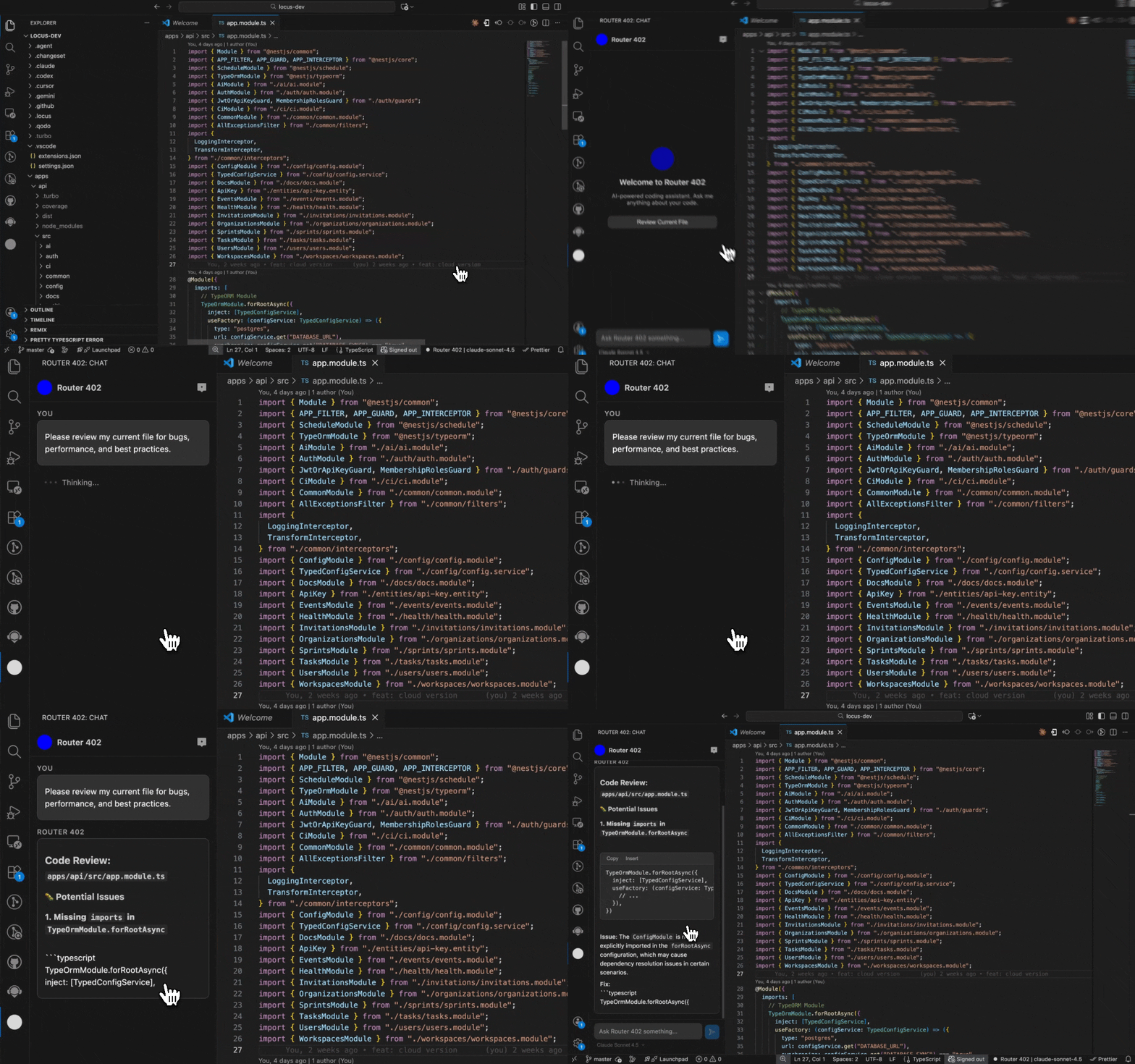
Your AI pair programmer
Code faster, debug smarter, and ship better software with an AI assistant that lives right in your workflow.
AI Chat in Your Editor
Open a chat panel directly inside VS Code. Ask questions, get explanations, and brainstorm — all without leaving your editor.
Inline Code Generation
Highlight code and ask AI to refactor, explain, or extend it. Generated code is inserted right where you need it.
Diff-Based Reviews
Get AI-powered code reviews with inline diff views. Understand suggested changes before applying them.
Multi-Model Support
Switch between GPT-4o, Claude, Gemini and more from the model selector. Use the best model for each task.
API Key Authentication
Set your API key once from the Router402 dashboard and the extension handles the rest. No wallet setup needed inside the editor.
Context-Aware
The extension understands your workspace. It reads your open files and project structure to give more relevant answers.
Up and running in minutes
Install Extension
Search for "Router402" in the VS Code marketplace or click the install button above.
Set API Key
Get your API key from the Router402 dashboard and set it via the extension's Set API Key command.
Start Coding
Open the Router402 chat panel and start chatting with AI, right from your editor.
$ code --install-extension router402xyz.router402-vscodeSupercharge your workflow
Install the Router402 VS Code extension and start coding with AI today.
Install Extension